Habit Tracker: Daily Goals turns your year into a GitHub-style heat-map. Log each habit in one tap (from the app, an interactive widget, or your Apple Watch), keep the streak flame burning, and let iCloud keep every device in step.
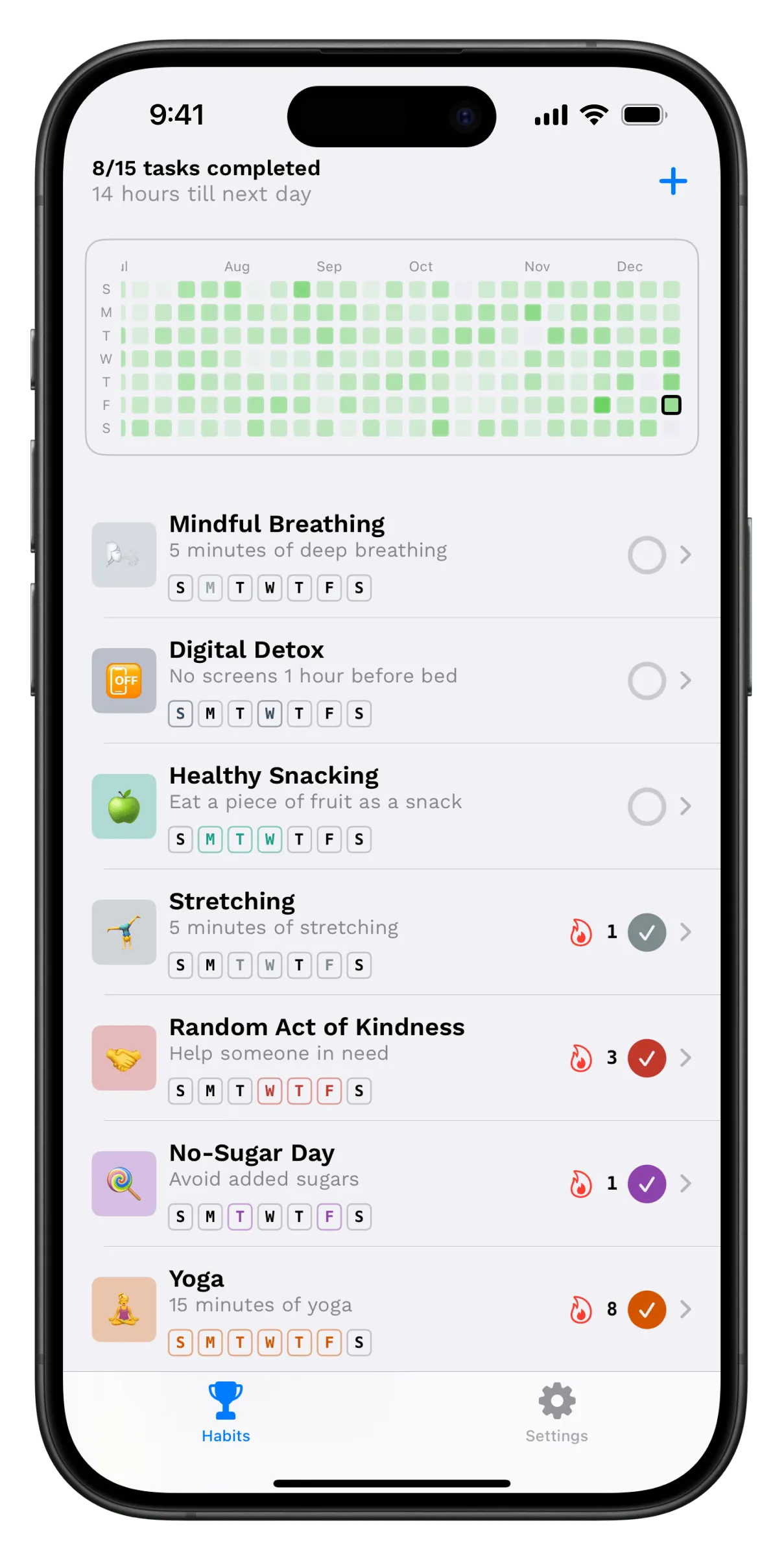
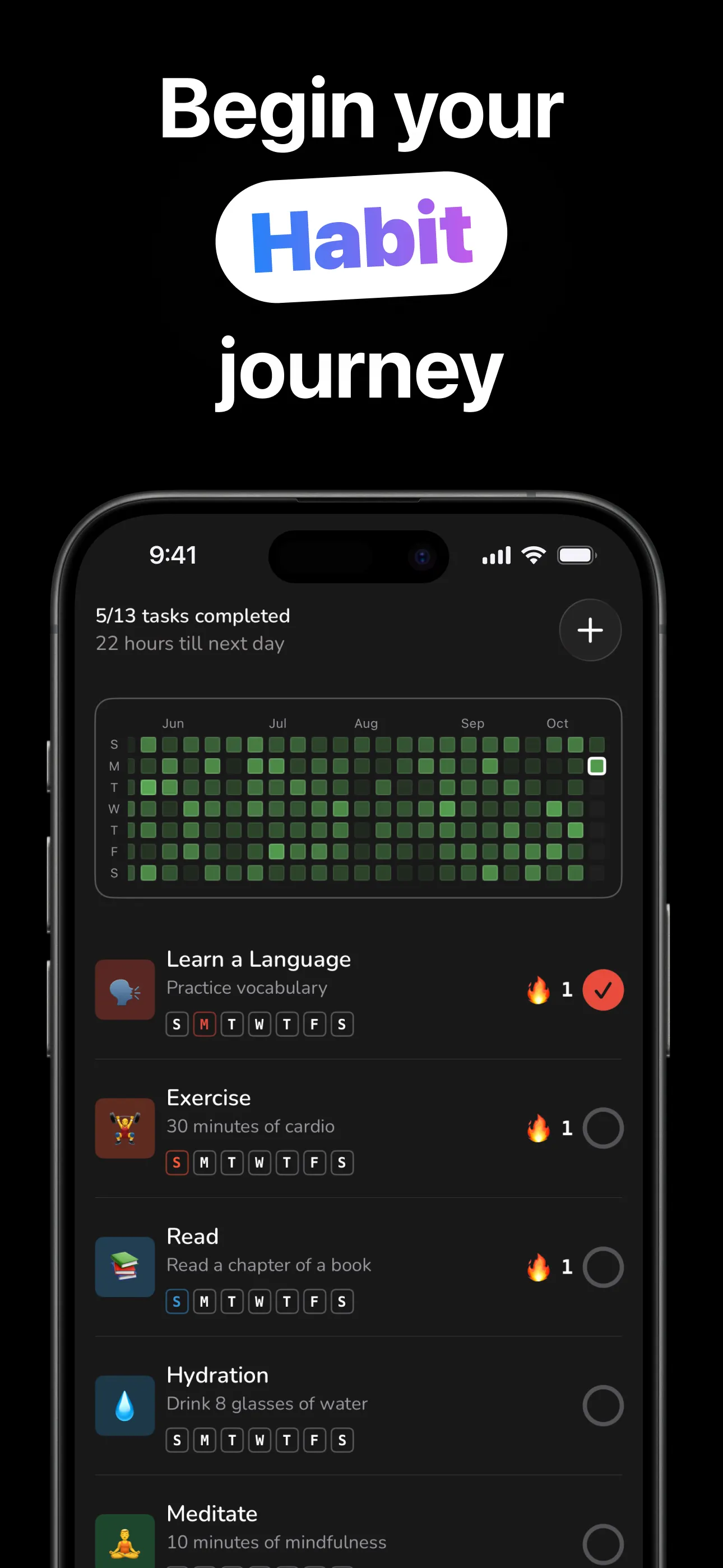
The heat-map shows the work; the flames show the momentum.
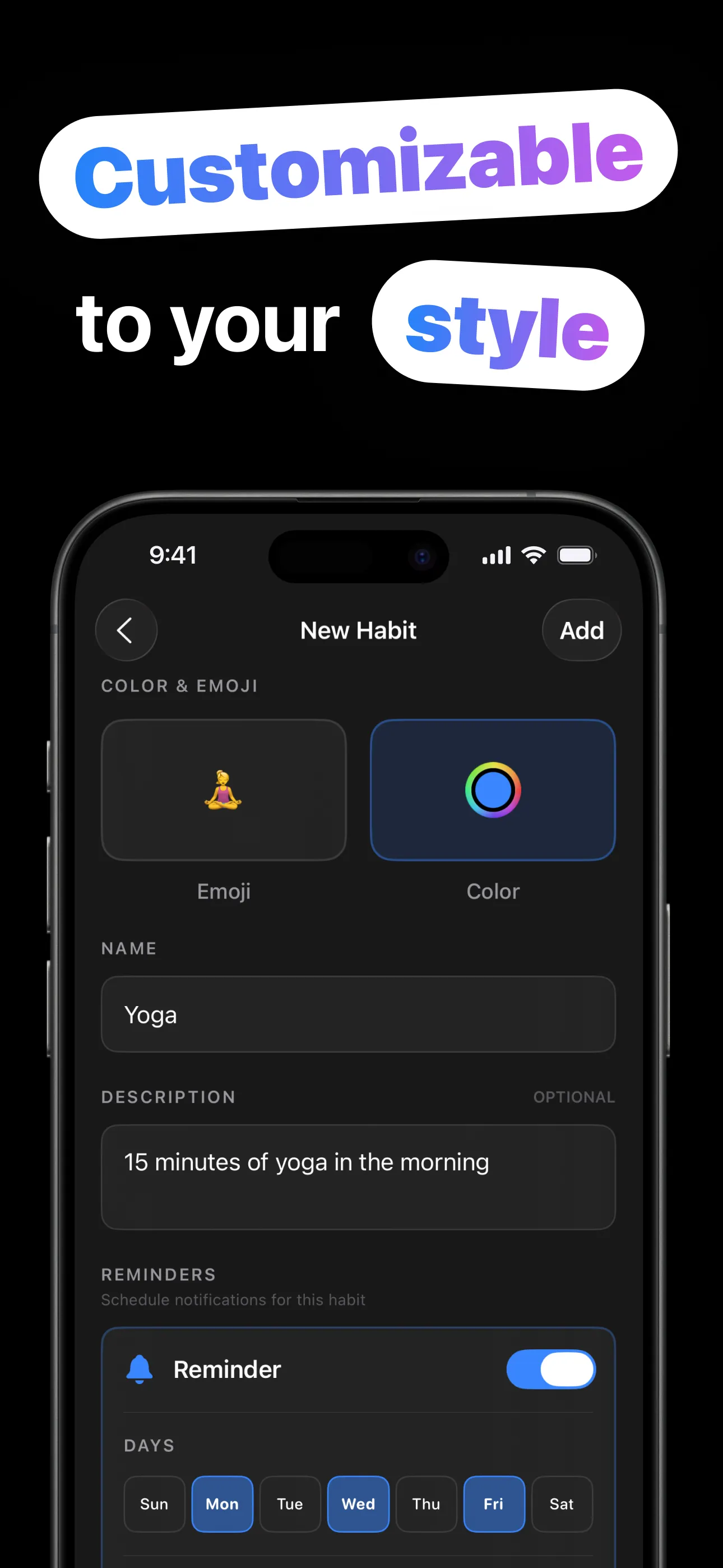
Set a habit up once; logging it takes a second a day.
Name it, pick an emoji and a color, and set how many times per day it should happen: once, or eight glasses of water.
Choose the weekdays and the time. Each habit gets its own notification schedule: Mon/Wed/Fri for the gym, nightly for reading.
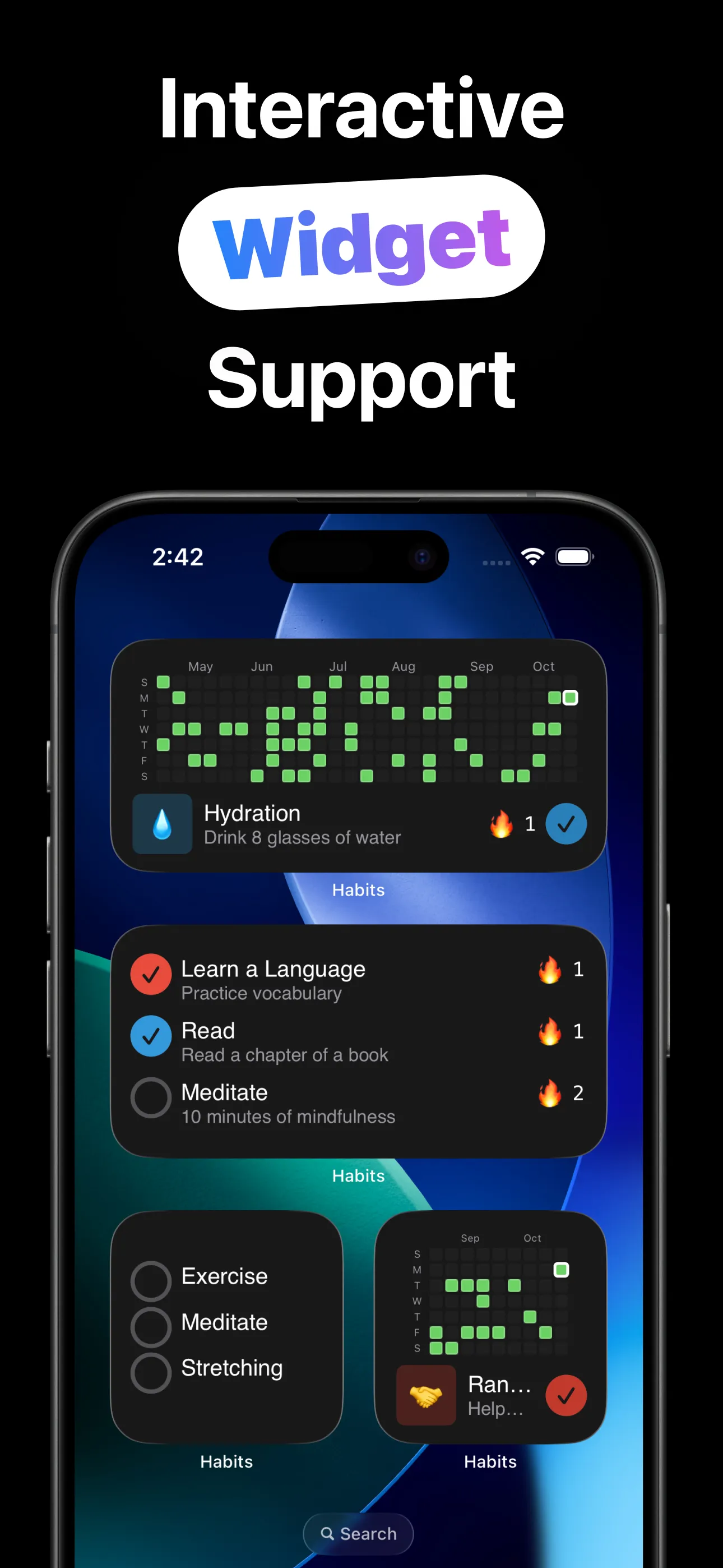
Tap the ring in the app, on the interactive widget, or on your Apple Watch. Multi-time habits fill segment by segment.
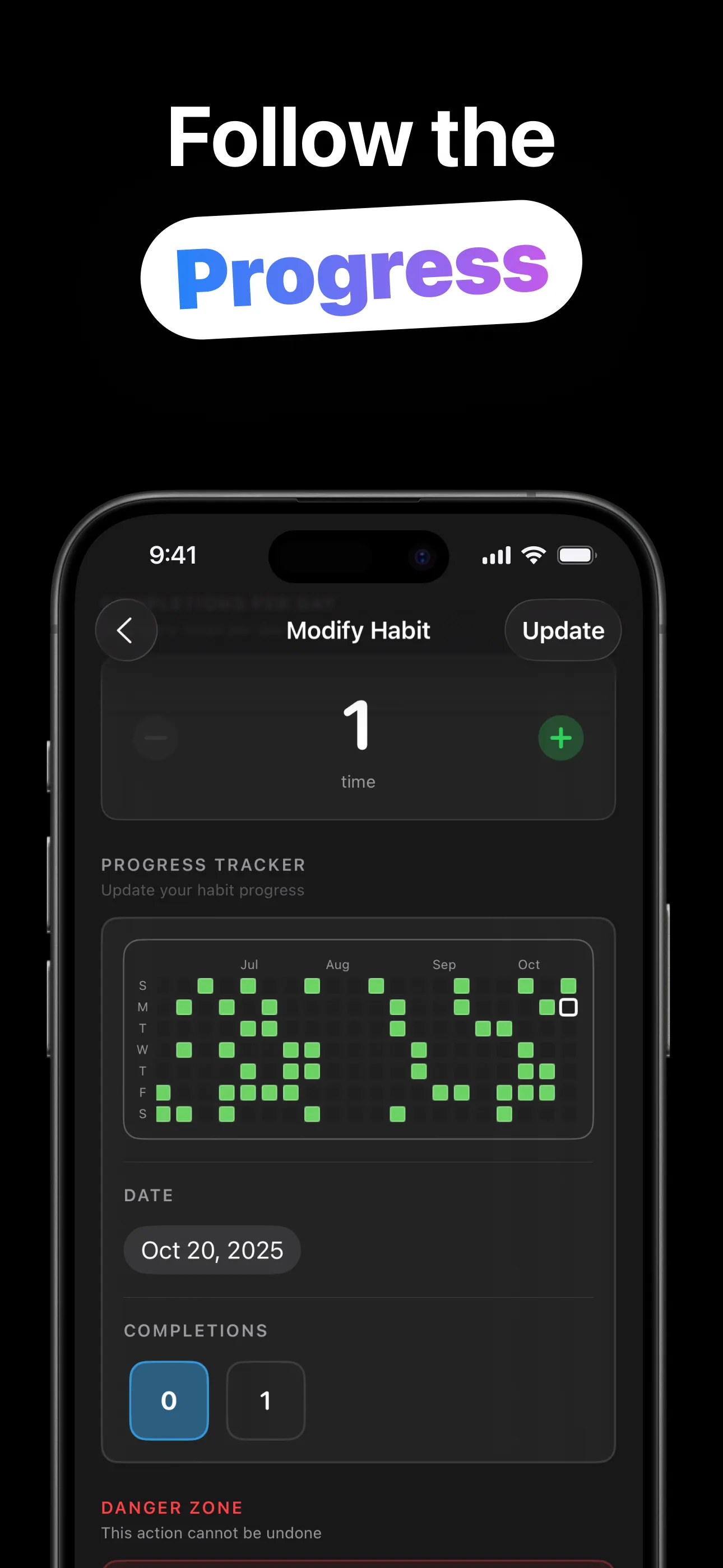
Completions light up the year-long heat-map and extend each habit's streak flame. Missed logging a day? Backfill it.
Visual progress, one-tap logging, and habits that follow you across devices.
A full year of squares that darken with every completion — the most honest progress chart there is, for all habits combined or one at a time.
Every habit shows its current consecutive-day streak next to a flame. The longer it burns, the harder it is to let it go out.
Tap to complete a habit right on the home screen, with no app launch. Single-habit widgets with their own heat-map, or a multi-habit checklist you can sort.
Your habit list on your wrist, with a tappable progress ring for each. Log the run while you're still catching your breath.
Habits and history sync privately through your iCloud account, so iPhone and Apple Watch always agree on what's done.
Each habit picks its own days and time for a nudge. Reminders match the schedule you actually intend, not a daily blanket alarm.
The methods behind the squares: streaks, reminders, widgets and starting small.
Start smaller than feels useful, anchor to a cue, and track it — the boring method that works.
Read the guide → StreaksThe Seinfeld method, the psychology behind it, and what to do the day after you break one.
Read the guide → WidgetsInteractive iPhone widgets that log a habit in one tap. Friction is the enemy, so remove it.
Read the guide → WatchLog habits from your wrist the moment they happen, with no phone required.
Read the guide → RemindersPer-weekday scheduling, timing that matches the cue, and why fewer pings beat more.
Read the guide → SyncHow your habits follow you from iPhone to Apple Watch, privately, through your own iCloud.
Read the guide →Quick answers about tracking daily habits.
Create it once (name, emoji, color, times per day), then log with one tap from the app, a widget, or your watch. Each completion fills a square and extends the streak. Learn more →
Yes. The widgets are interactive. Tap the circle on your home screen and it's recorded. There's a single-habit heat-map widget and a sortable multi-habit checklist. Learn more →
Yes. The companion Watch app lists your habits with tappable progress rings, and iCloud keeps the watch and phone in sync. Learn more →
Set the per-day count when creating it. The habit shows a segmented ring that fills with each completion, and the day turns green when it's full.
Each habit picks its own weekdays and time, so the notification arrives only on the days that habit is scheduled. Learn more →
Free to download and use on iPhone and Apple Watch. An optional Habits Pro upgrade is available in-app.
Create your first habit in under a minute — then just don't break the chain.
Download on the App Store