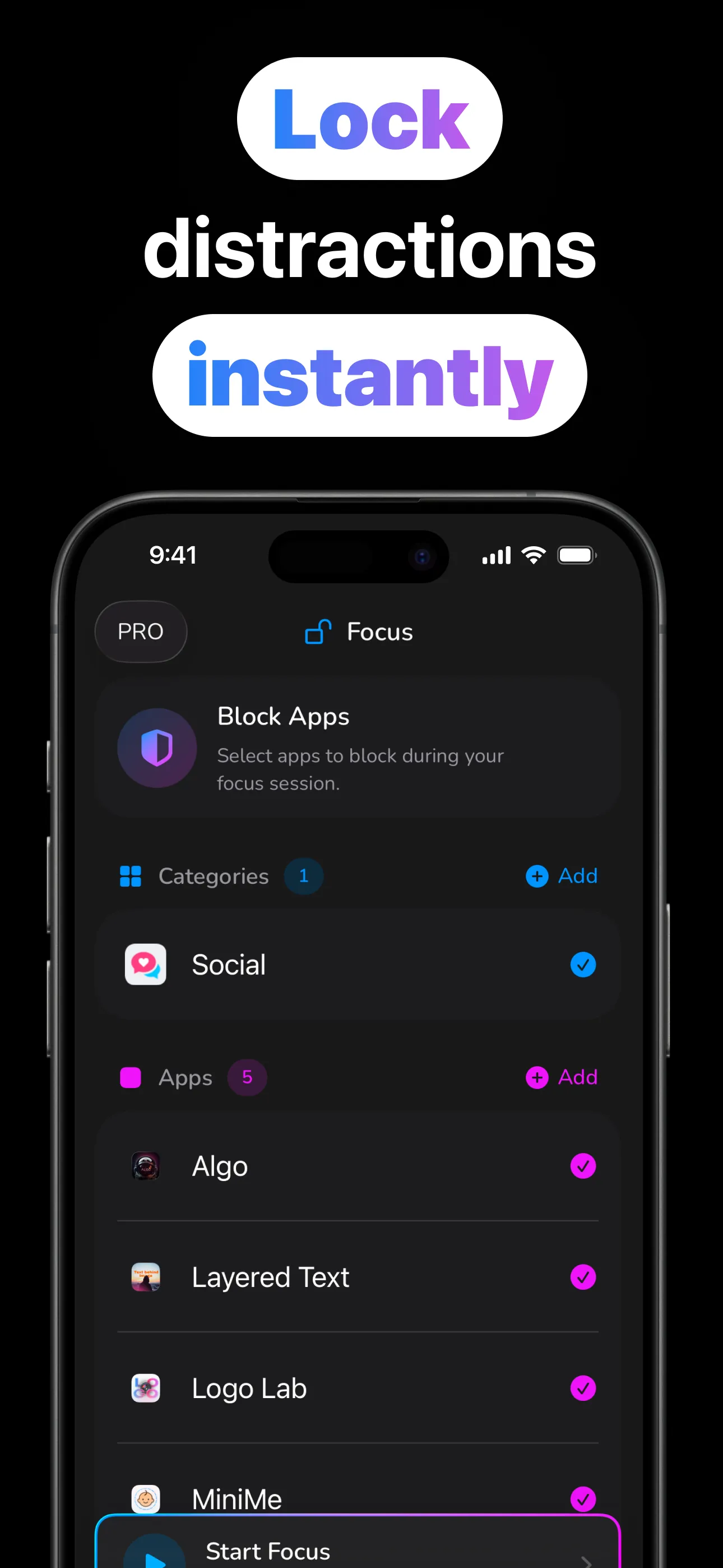
One tap locks the doomscroll apps behind Apple's own shield. Schedules run your focus hours automatically (Morning Focus, No Phone at Lunch, Evening Wind Down), and honest insights show where the time actually went.
Tap once now, or let the schedule handle tomorrow.
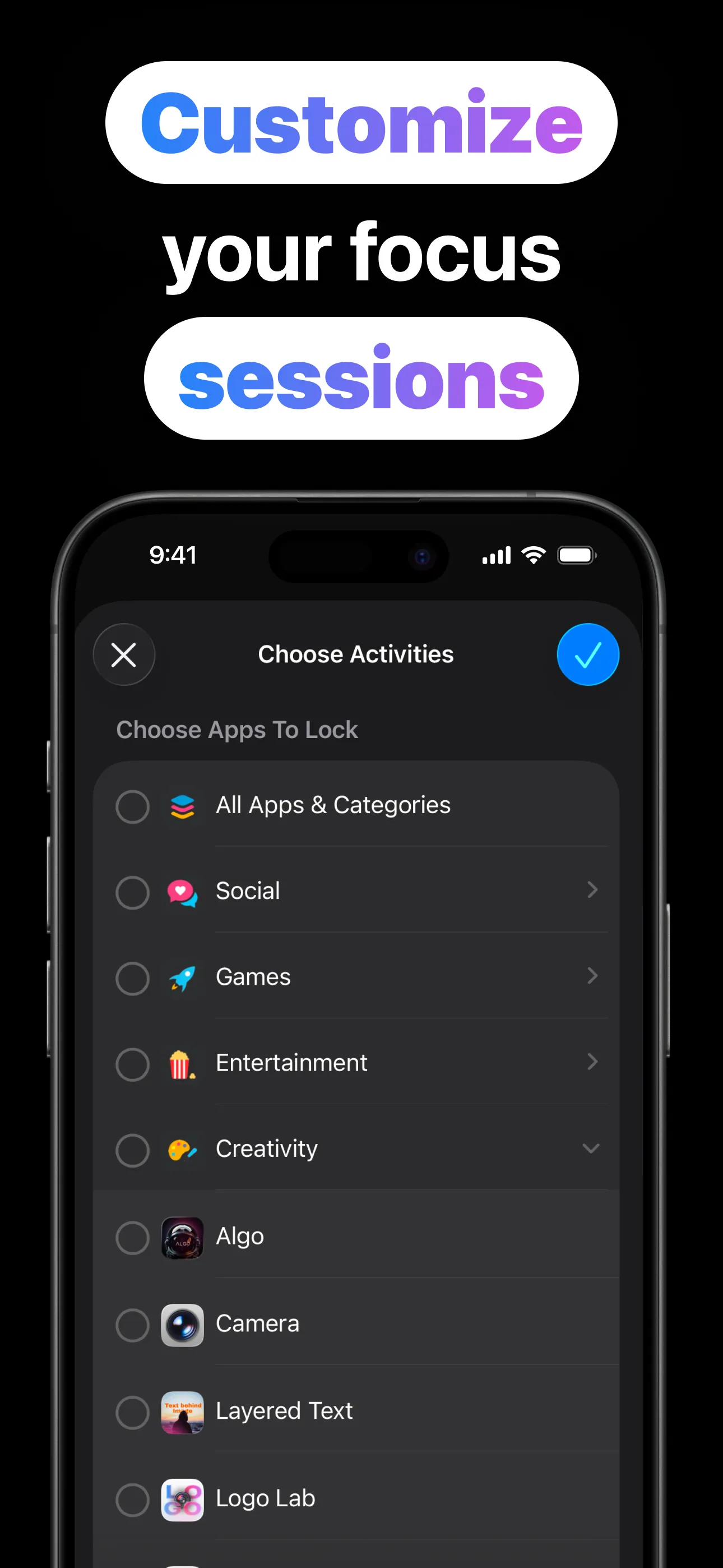
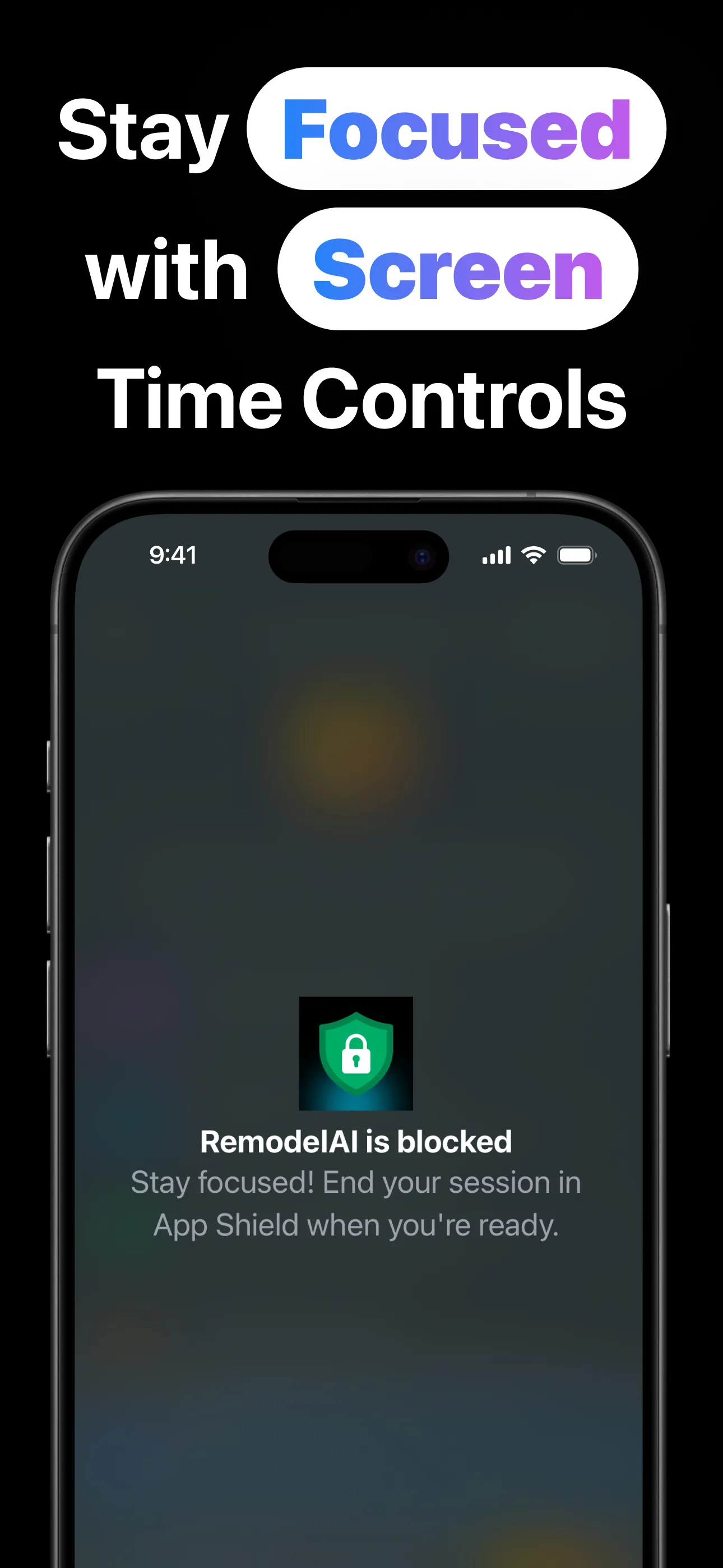
Powered by the same Screen Time engine iOS uses itself.
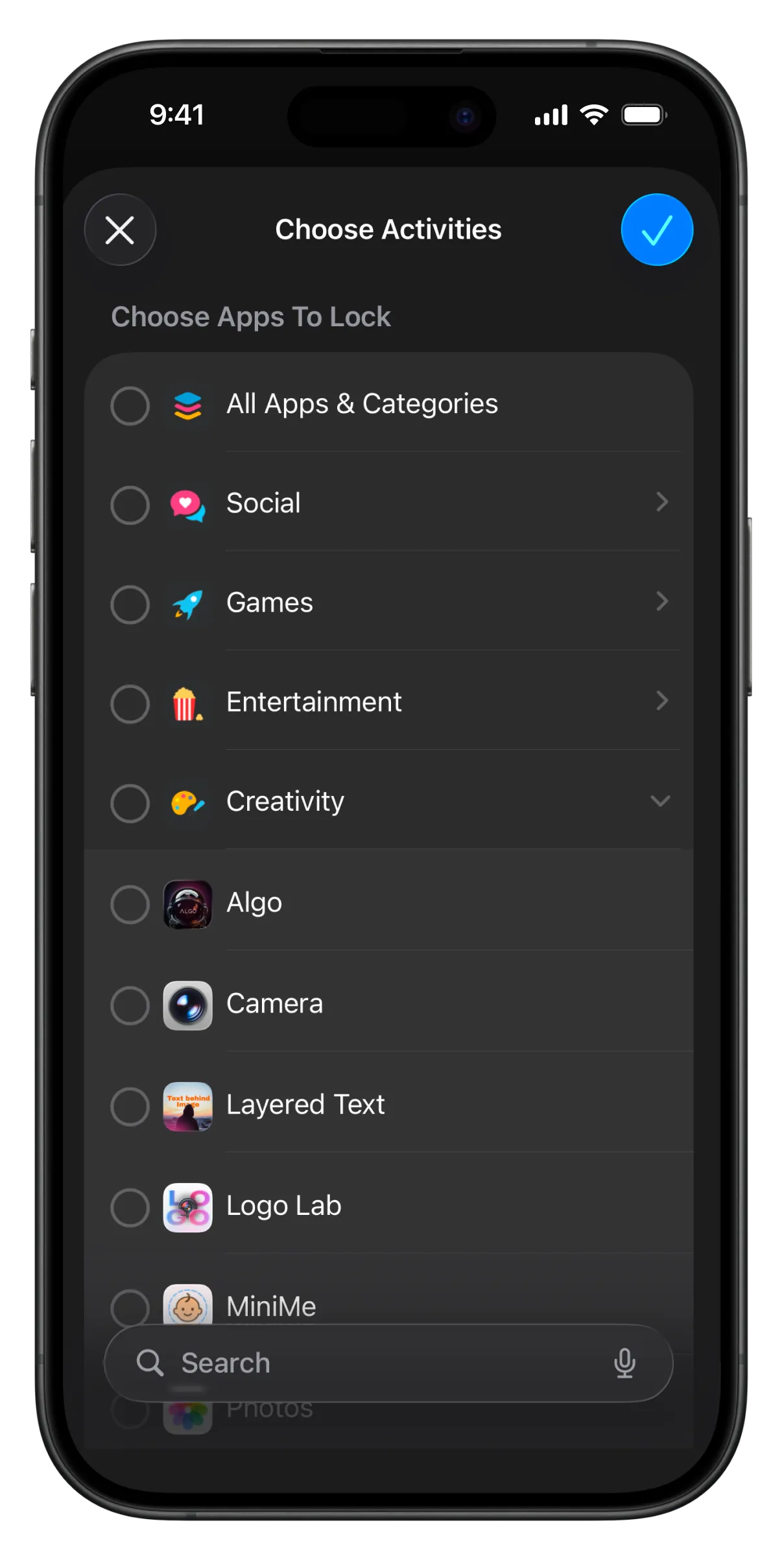
Choose apps, whole categories (Social, Games…) or websites with Apple's own picker.
One tap for right now, or recurring weekday schedules that run themselves, even overnight.
Blocked apps show Anchor's shield with the session name and end time — the tap dies, the habit follows.
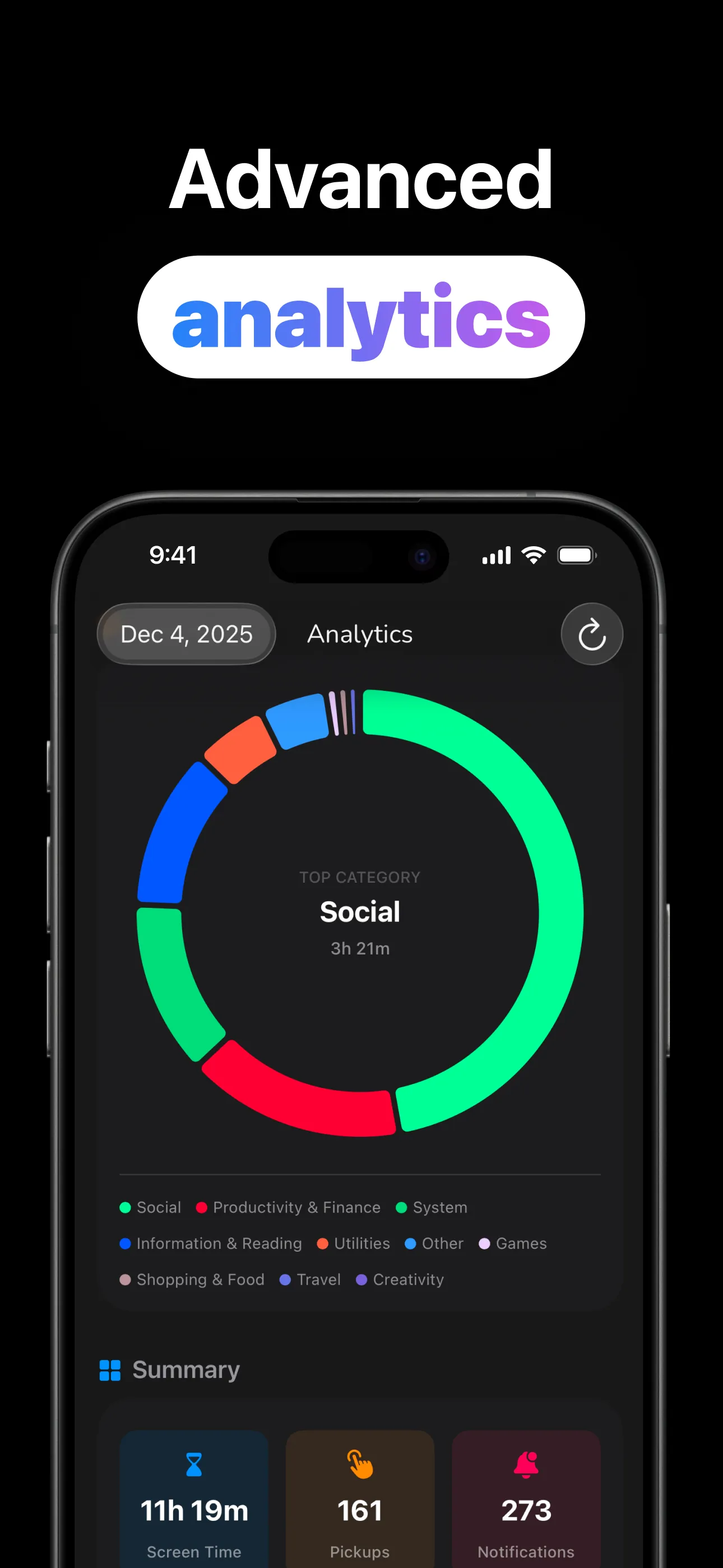
Screen time, pickups, notifications, per-app truth: the numbers that change behavior.
Honest tools for adults who want their attention back.
Apple's Screen Time shield, not a notification nag. Blocked apps genuinely don't open.
Weekday routines, overnight wind-downs, all-day blocks, up to 20 at once, with Skip Today for real life.
Shield web domains alongside apps. The browser version of a blocked app isn't a loophole.
Ending a session takes a deliberate countdown: enough to break the autopilot, no shame spiral required.
Screen time, pickups, notification counts and per-app breakdowns over four weeks, all system-accurate.
Apple's Screen Time model keeps usage data on your device. No account, no cloud profile.
Practical playbooks, not productivity guilt.
The Screen Time shield explained, and the one-tap setup that actually sticks.
Read the guide → SchedulesMorning focus, lunch without a phone, overnight wind-down: routines that run themselves.
Read the guide → WebsitesClosing the browser loophole: shield sites and domains alongside apps.
Read the guide → Screen TimeWhat the pickups number means, and the three changes that move it.
Read the guide → DoomscrollingWhy the feed always wins at 11 p.m., and the category block that ends the match.
Read the guide → StudentsExam-season setups: presets, schedules and the friction that keeps you in the library.
Read the guide →Straight answers about blocking apps with Anchor.
Through Apple's official Screen Time API, so blocked apps show the shield instead of opening. No VPN tricks; usage data stays on device. Learn more →
Yes. Recurring weekday schedules, overnight and all-day windows, up to 20 running, with reminders and Skip Today. Learn more →
Yes. Web domains shield alongside apps and categories. Learn more →
After a deliberate 5-second countdown — friction, not handcuffs. Enough to interrupt the autopilot tap.
Screen time, pickups, notifications and per-app breakdowns over the last four weeks, system-accurate and on-device. Learn more →
Free to download and try. Anchor Pro (weekly, monthly or lifetime) supports development and unlocks the complete experience.
One tap tonight; a calmer phone tomorrow. Free to try.
Download on the App Store