Upload a photo of each parent and MiniMe's AI blends them into a baby preview (boy or girl, from newborn to two years old) in seconds. It's an artistic interpretation, not a genetics lab. That's exactly what makes it fun.
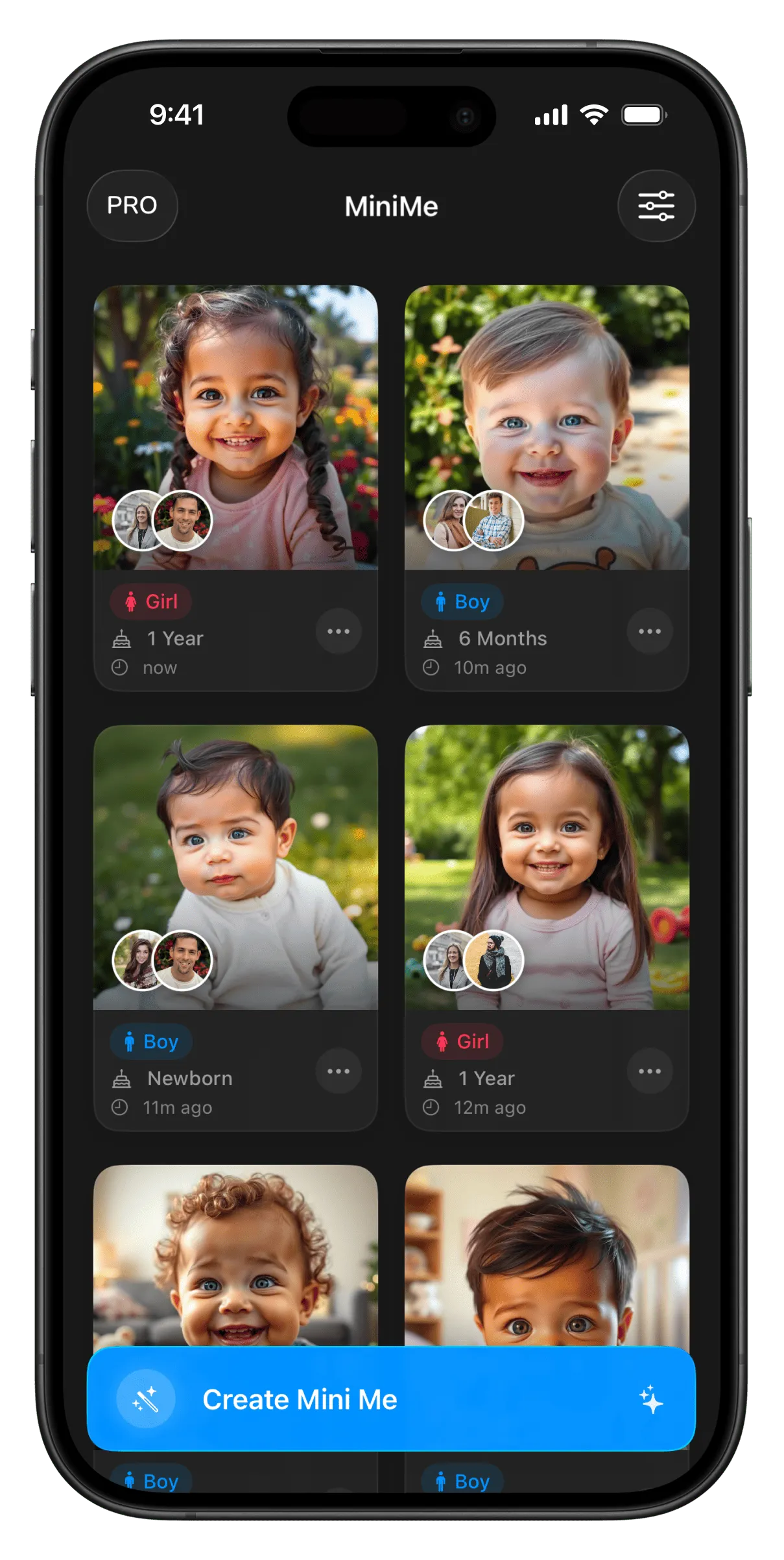
Upload, choose, generate — and keep every adorable result.
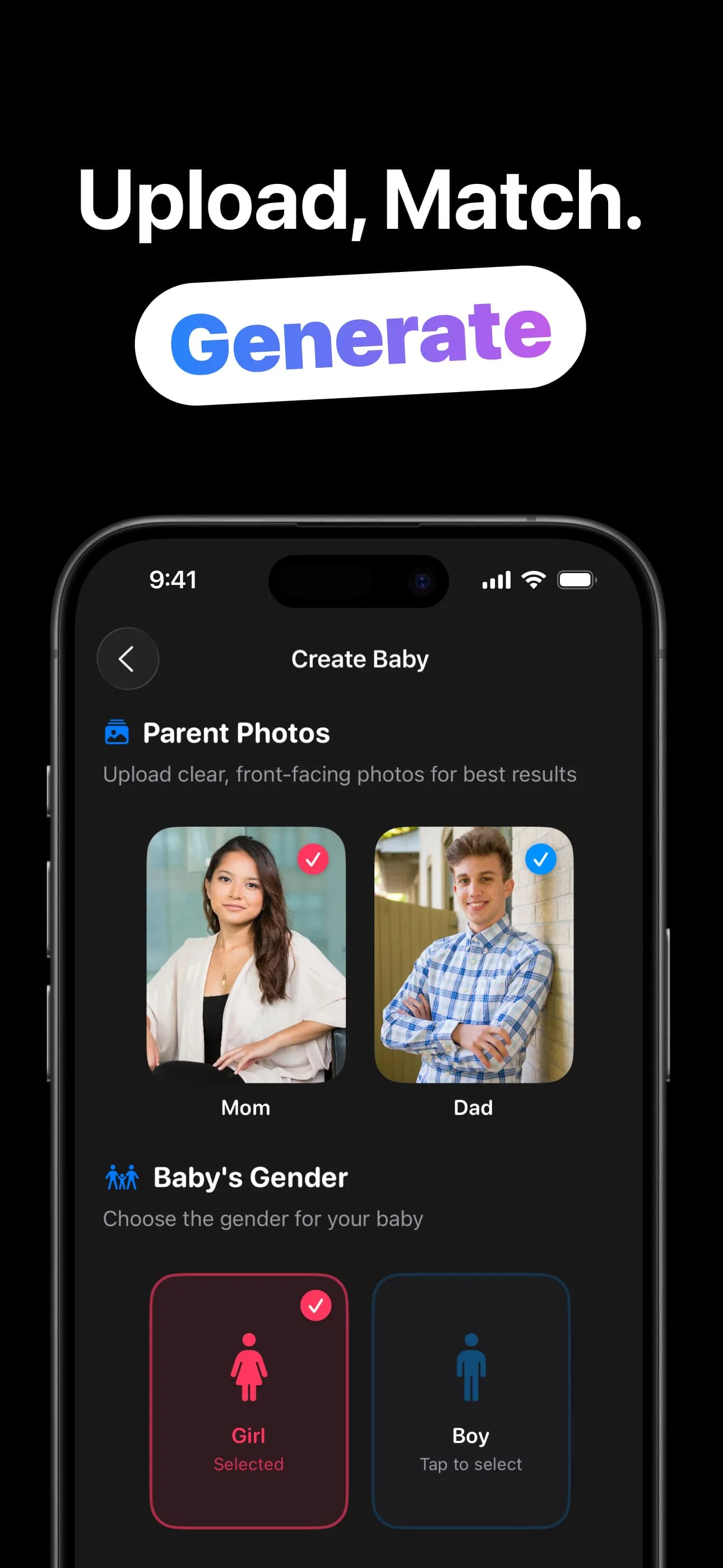
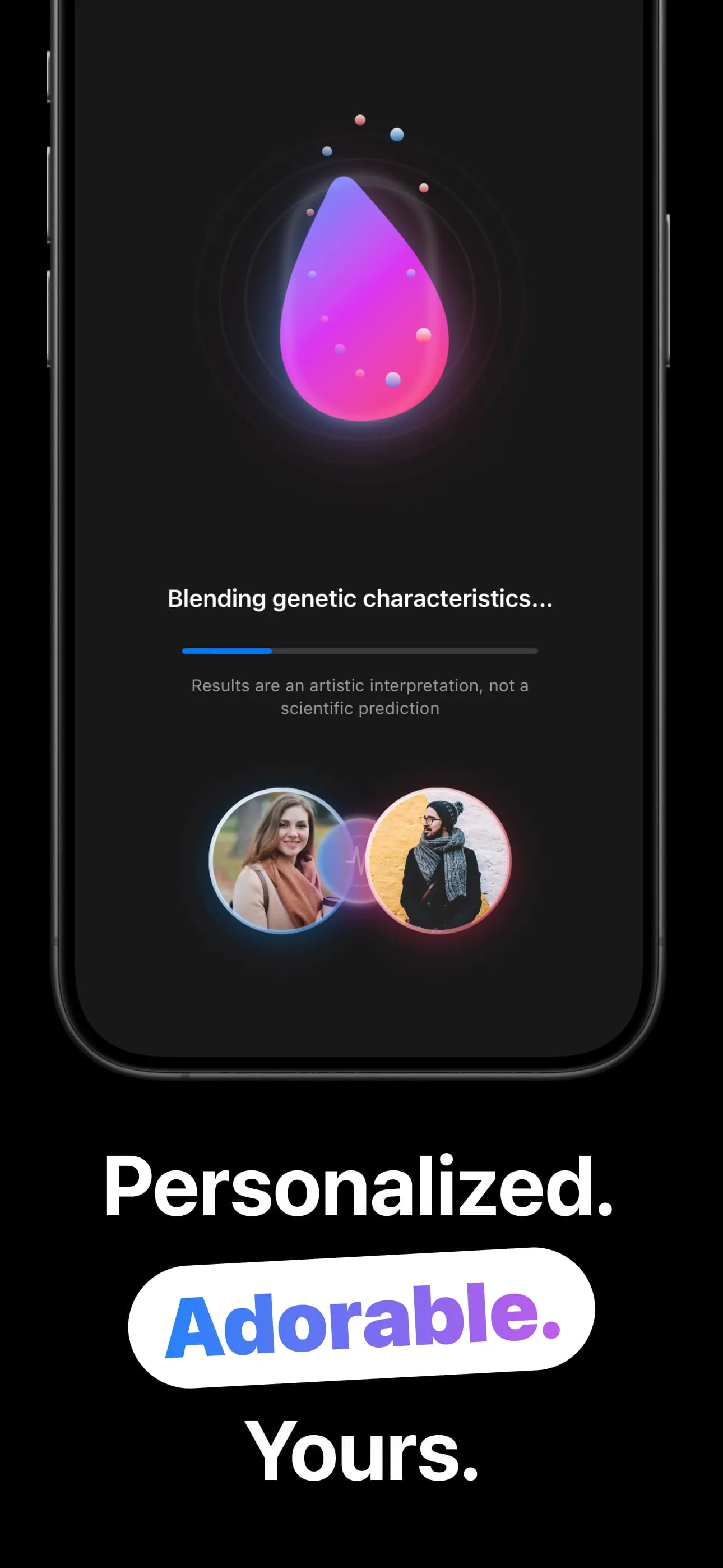
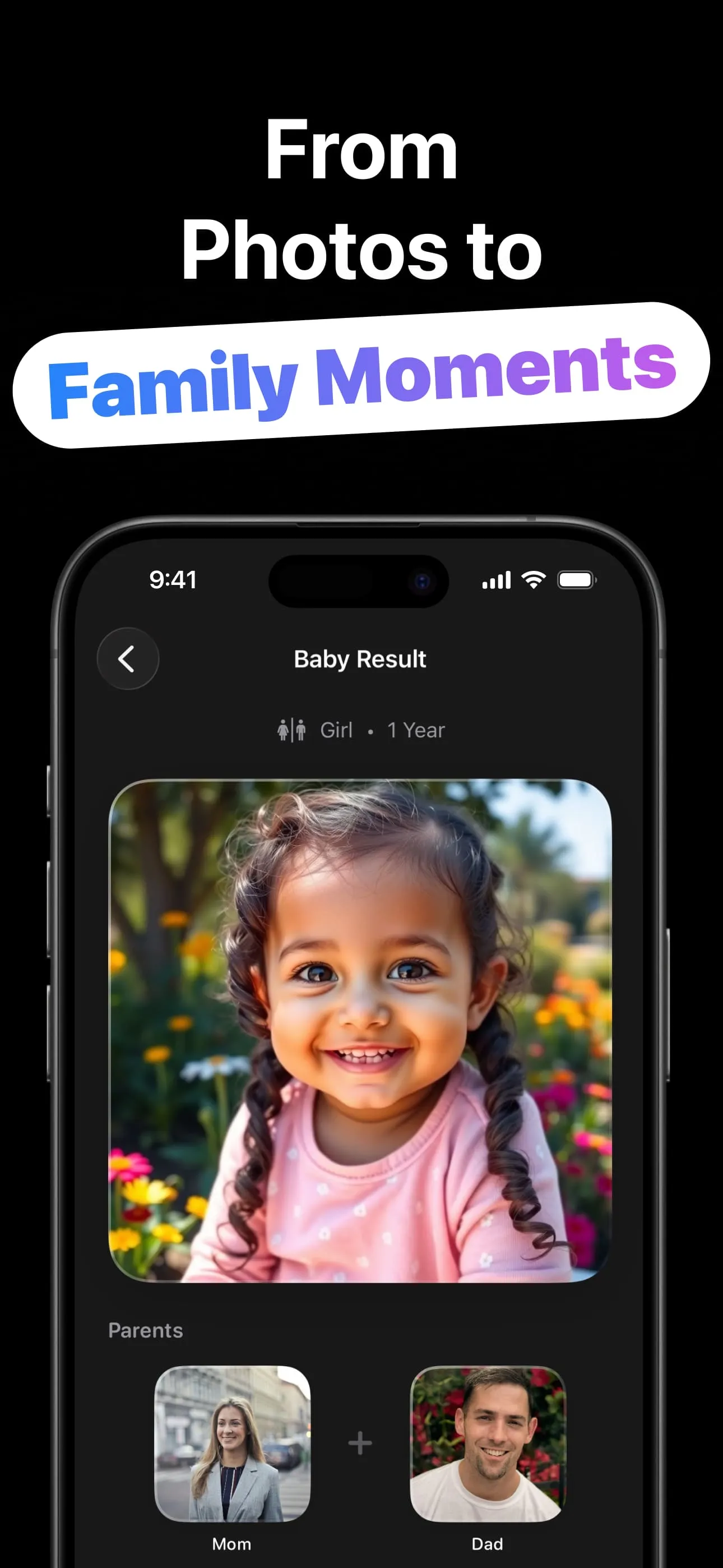
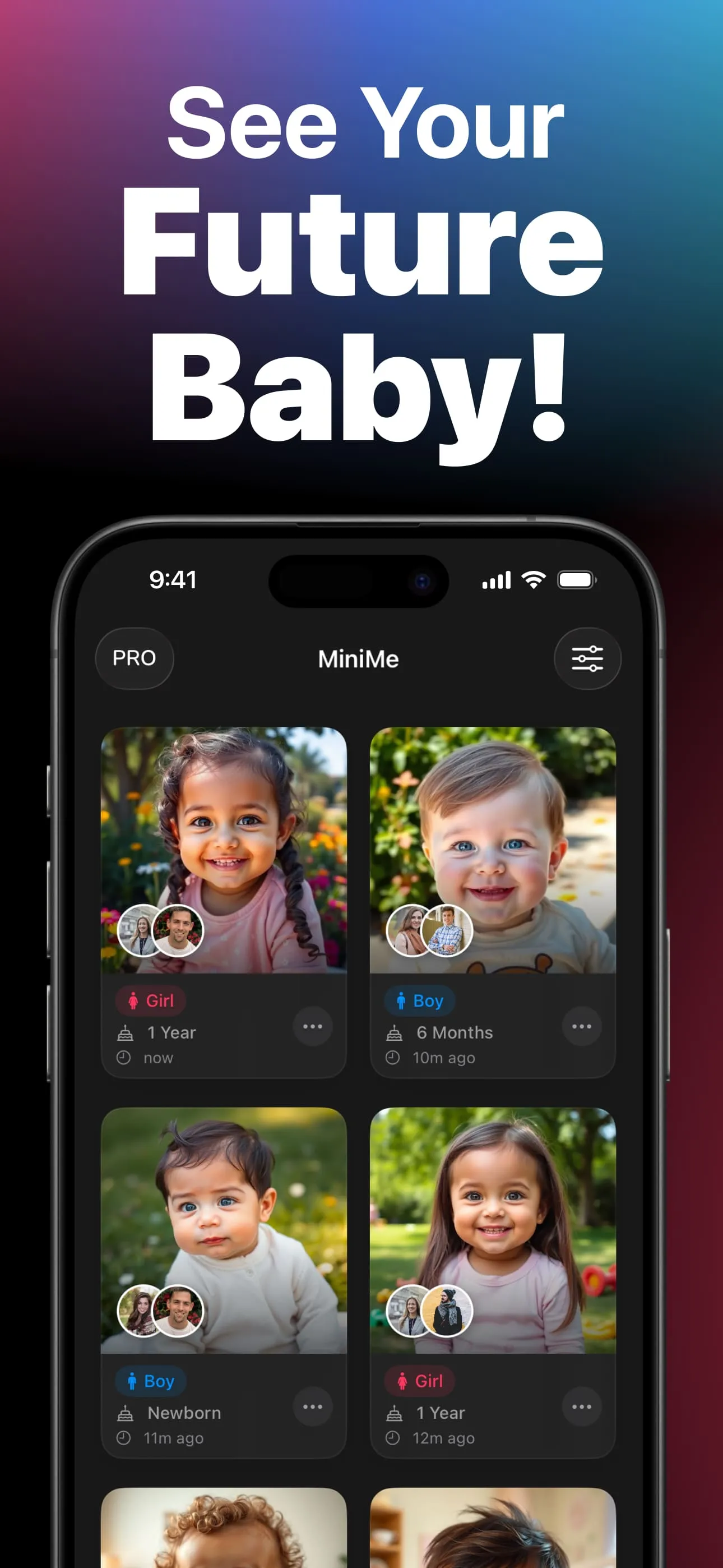
Four steps from date night to “oh my gosh, look at them.”
A clear, front-facing photo of each. Snap one with the camera or pick from your library.
Girl or boy, and an age: newborn, 6 months, 1 year, or 2 years.
The AI mixes both faces into one baby preview in seconds. An artistic take, as the app itself reminds you.
Save to Photos, share the reveal, then try the other gender or another age. Every result stays in your gallery.
The fun of the question, without pretending to answer it scientifically.
Dedicated Mom and Dad photo slots: the AI works from both faces, and every result shows the parent photos it came from.
Newborn, 6 months, 1 year, 2 years. Watch the same “maybe baby” grow up across generations you choose.
Pick one, or generate both and settle the family debate. Each result is badged with its gender and age in your gallery.
Every generation is kept with its parents, gender, age and timestamp: compare, revisit, and delete the ones that missed.
One tap to Photos, or share “meet your future baby!” straight into the group chat that's been asking.
The generating screen says it plainly: an artistic interpretation, not a scientific prediction. Entertainment that doesn't oversell itself.
Better photos, all four ages, and the honest truth about accuracy.
The two-photo workflow from upload to shareable reveal, in five minutes.
Read the guide → PhotosFront-facing, well-lit, one face: why input quality decides output cuteness.
Read the guide → AgesWhat changes between the four age options, and why generating all of them is the move.
Read the guide → HonestyNot very — and that's fine. What the AI actually does, versus what genetics does.
Read the guide → CouplesWhy “what would our kid look like?” is the best conversation starter you own.
Read the guide → PartiesGuess-the-baby games and reveal-day slides: entertainment for the whole room.
Read the guide →Quick answers about AI baby previews.
Two parent photos + a gender + an age → the AI blends them into a baby preview in seconds. Learn more →
No. It's an artistic interpretation, not a scientific prediction, as the app itself says. Learn more →
Clear, front-facing, well-lit, one face per photo. Learn more →
Yes. Newborn, 6 months, 1 year and 2 years, as a boy or a girl. Learn more →
Yes. Save to Photos or share straight from the result screen; the gallery keeps everything.
Free to download and try. An optional MiniMe Pro upgrade is available in-app.
Two photos, ten seconds, one adorable maybe — free to try.
Download on the App Store